How to Play
Joining Communication
A way of Noriko-chan App is able to use as a Communication tool.
This App can "change clothes, face and comments" of the girl - Noriko-chan. And you can take Noriko-chan Screenshot. After that you can send it to your friends by e-mail or Message.
You would be able to give your friends pleasure by this App.
Let's enjoy a day with Noriko-chan App!
Meaning of Buttons
Home Menu "3" Buttons
Tap on Moving-up-down Buttons then Menu "3" Buttons will slide.
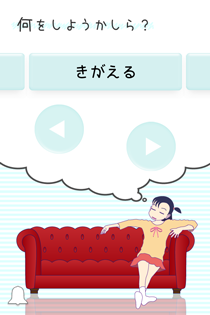
Center Button:

This means "Change clothes."
You can Change Noriko’s clothes, face, comments and etc. This is Main of this App.
Left Button:

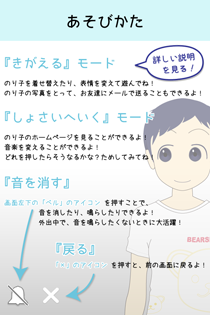
This means "How to Play."
You can read "How to Play." But this page is used Japanese only. If you want to know How to play, read this web page.
Right Button:

This means "Library."
Tihs is Option Menu. Try to Tap on your device display then something will happen.

"Change clothes" Menu Buttons
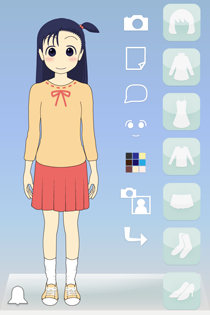
First, I explain about 7 Clotehes Buttons(Blue Buttons.)
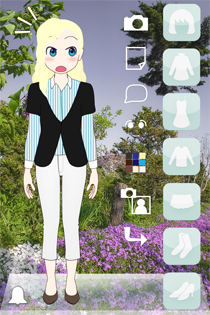
7 Clothes Buttons
Hair Button:

Outer Button: a kind of Coats

Onepeace Button:

Inner Button: a kind of Shirts

Bottoms Button: a kind of Pants or Skirts
Sox Button:

Shoes Button:

To Tap on above Buttons cause to appear in Catalog Menu.
And you Tap clothes Icon. Then Noriko's clothes is changed item or goods.
If you want to close the Catalog Menu, You Tap "x" Button located the bottom of screen.

Following explanation is about 6 White Buttons.
Camera Button:

This Button cause to take Screenshot.
Your Device's "Photos Camera Roll" has Screenshot.
You can send it to your friends by e-mail or Message.
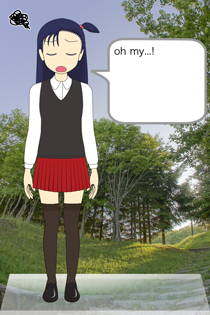
Wallpaper Button:

This Button cause to change Wallpaper.
Comments Button:

This Button cause to appear in Comments Menu.
Tap on Comments Area then you can input comments by Keyboard.
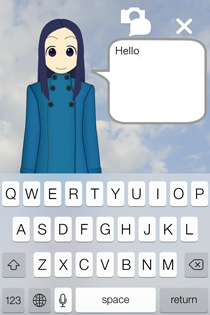
This Comments Menu has Screenshot Option Button for Display-or-Not-display-Comments at Screenshot.

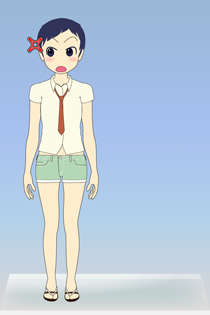
If you want to close the Comments Menu, You Tap "x" Button located avobe Comments Area.
Face Button:

This Button cause to appear in Face Editer.
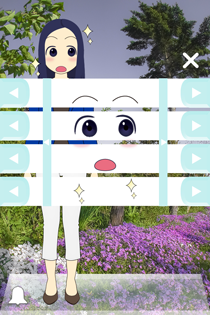
You can change Noriko's face parts - Eyebrrows, Eyes, Mouth, Passion Icon and Face Color by to Tap on 5 x 2 Blue Buttons.
If you want to close the Face Editer, You Tap "x" Button located right avobe the Face Editer.
Color Edit Button

This Button cause to appear in Color Editer.
You can change Hair, Eyes and Skin Color by to Tap on 3 x 3 Color Circle Button.
Top Line is Hair Color set Buttons. Middle Line is Eyes Color set Buttons. Bottom Line is Skin Color set Buttons.
Tap these Buttons you like!
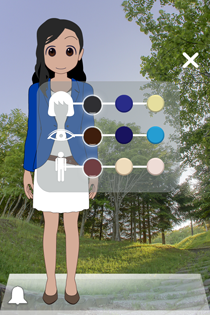
If you want to close the Color Editer, You Tap "x" Button located right avobe the Color Editer.
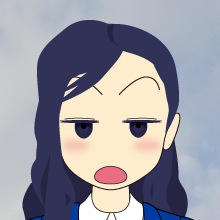
Face Camera Button:

This Button cause to take Face Screenshot.
Your Device's "Photos Camera Roll" has Face Screenshot.
You can send it to your friends by e-mail or Message.
Return Button:

This Button cause to back to Home Menu with saving status of Clothes, Face, Comments and Screenshot Option.
All Sceans
Bell Button

This Button cause to be on Mute.